Real Disadvantages of AI in Software, Business, and Education
Thu, 27 August 2026

Inspirational journeys
Follow the stories of academics and their research expeditions
TL;DR:
Google Flow is a browser-based and cloud-based AI filmmaking studio. Google Flow uses its own models like the Veo 3.1 and Gemini 3 Pro for visual generation. This allows users to generate, edit, and extend high-quality cinematic videos from text and images with professional-grade consistency. Google Flow is capable of generating videos from just explanatory texts and also converts images to motion visuals.
With the rise in AI engineer salary globally, we are now able to see a variety of advancements within AI technology. Google has always been one of the most creative AI engineering teams, giving us smart and creative solutions for our everyday hurdles. In this blog, I will explain to you what Google Flow is and how it can help you achieve your filmmaking dreams come true.
Google Flow is Google's cloud-based imagination machine. The concept of AI filmmaking starts here. Imagine how thousands of hand-drawn images made a few seconds of video clips before the digital infrastructure was ever built. Oh, boy, how much work will that be today?
But using Google’s Flow AI, you can easily generate all the other 999 frames out of 1000 in just seconds, with text-based prompting. The most common doubt anyone would have at this point is, What about the facial features and the body structure of any character?
Using multiple layers of AI models, Flow decides on what characteristics of a character should be duplicated and locks character identities. Flow also supports multi-clip projects in a unified dashboard. This gives you a canvas of effortless control and full access to the toolbox.
Whether you are crafting a 6-second viral clip or a 60-second brand narrative, Flow turns your browser into a generative soundstage where physics, lighting, and motion are controlled by simple natural language.
Learn how Google's top competitor, Meta AI, is dominating the AI market.
Read here: What is Meta AI? (And Should You Be Worried About Your Data?)
To use Flow effectively for professional work, you need to understand how its distinct layers and underlying models interact. This isn't just a basic "generator"; it is a multi-layered production workspace designed for absolute consistency, spatial control, and speed.
Please note that these components are built natively into the prompt interpreter and workspace architecture—you manage the inputs, while Flow orchestrates the stack:
This version leaves nothing out. Would you like to move on to drafting the section on the Real Disadvantages of AI to balance out the guide?
Choosing the right model is the difference between a rough draft and a masterpiece.
|
AI Model |
Type |
Best For... |
Access Tier |
|
Veo 2 - Fast |
Video |
Quick storyboard drafts (Landscape only) |
Paid Only |
|
Veo 2 - Quality |
Video |
High-detail cinematic landscapes |
Paid Only |
|
Veo 3.1 - Fast |
Video + Audio |
Social media (Portrait), Speech, and Ingredients |
Free & Paid |
|
Veo 3.1 - Quality |
Video + Audio |
4K Cinematic masters with physics grounding |
Free & Paid |
|
Nano Banana 2 |
Image |
High-speed ingredient and frame generation |
All Users |
|
Nano Banana Pro |
Image |
Complex character sheets and intricate designs |
Ultra Subscribers |
The democratization of video means you no longer need a massive production budget to tell a professional story. Flow is architected to solve specific pain points across several high-impact industries:
Directors can use Veo 3.1 Light to mock up camera movements and lighting setups.
Industry Insight:
As tools like Flow shift from novelty to core infrastructure, studios are aggressively hiring technical talent to manage these generation pipelines. If you're looking to bridge the gap between creative directing and AI architecture, explore our Global Guide to AI Engineer Salaries to see what these roles earn in today's market.
Getting started with Google Flow is straightforward and simple. Keeping your workflow in reference, you can easily opt for the best path for your creative scale. The following steps can help you with your decisions:
Just head to labs.google/fx/tools/flow and log in. Every Google account gets:
For $19.99/mo (included in Google One AI Premium), you unlock more power:
For $249.99/mo, you get a full production engine:
In 2026, managing "Pixel Spend" is as important as managing a budget.
The foundation of the platform. Describe a scene—subject, action, environment, and lighting—and watch Veo 3.1 render it in either Landscape (16:9) or Portrait (9:16).
Animate your static assets. If you provide the start frame and the end frame, Flow will generate the sequence of frames in between. This is the primary tool for creating seamless transitions between two distinct shots.

The solution to the "AI Consistency Problem." Upload a reference image (the "Ingredient") to ensure your character, product, or set looks identical across every clip in your project.
Added in the April 2026 update, you can now upload or select a reference voice. Tagging @Voice in your prompt guarantees the use of the same character voice across different scenes, even as the dialogue changes.
Breathe more life into your scenes. The Extend tool analyzes the temporal data of the last frame and seamlessly generates additional footage, allowing you to build long-form sequences from a single shot.
A non-linear editing suite inside your browser. Drag and drop clips, trim handles, and arrange sequences. In 2026, Scene Builder supports "Collections," allowing you to group assets by scene or character for faster sorting.
Move the camera without re-rendering. This feature exposes 13 granular sliders (Dolly, Pan, Tilt, Roll, etc.), allowing you to "direct" the motion of an existing clip in real-time.
Surgical, pixel-level editing. Draw a box or free-form lasso around an object in your video to remove it or replace it with something new through a simple text command.
Veo 3.1 generates audio in the same pass as the video. This means footsteps, cloth rustle, and spoken dialogue (e.g., [Character says: "Hello world"]) are perfectly synchronized with the character's lip movements.
Ultra subscribers can initiate a "Cinematic Pass" on any 720p preview. This uses a specialized model to add fine detail and texture, upscaling the final export to a professional 4K bitrate.
A massive, social-style gallery where you can watch shorts made by other creators. Every clip includes the original prompt and settings, serving as a live library for inspiration and learning.
Now, you might also want to compare these capabilities with ChatGPT.
Think of this as your "Day One" as an AI Director. We aren't just clicking buttons; we are building a world. Follow this conversation through the production pipeline:
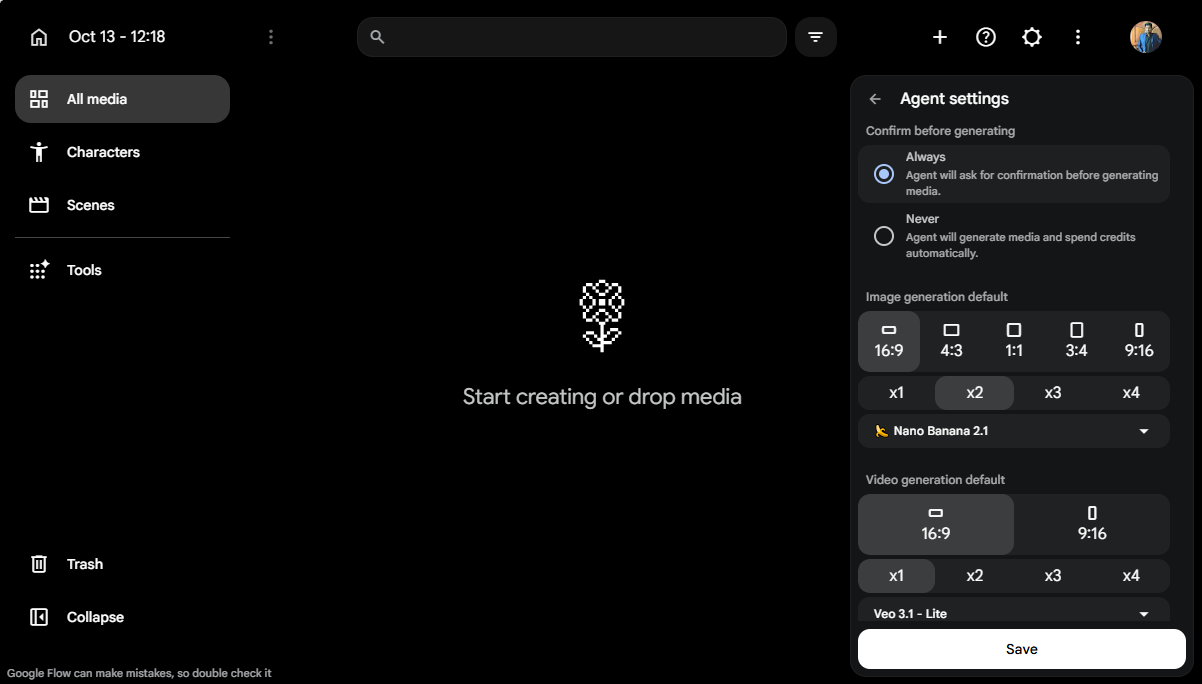
Before you roll the cameras, you need your "Casting Call." In Flow, we call this Step 1: Casting Your Ingredients.
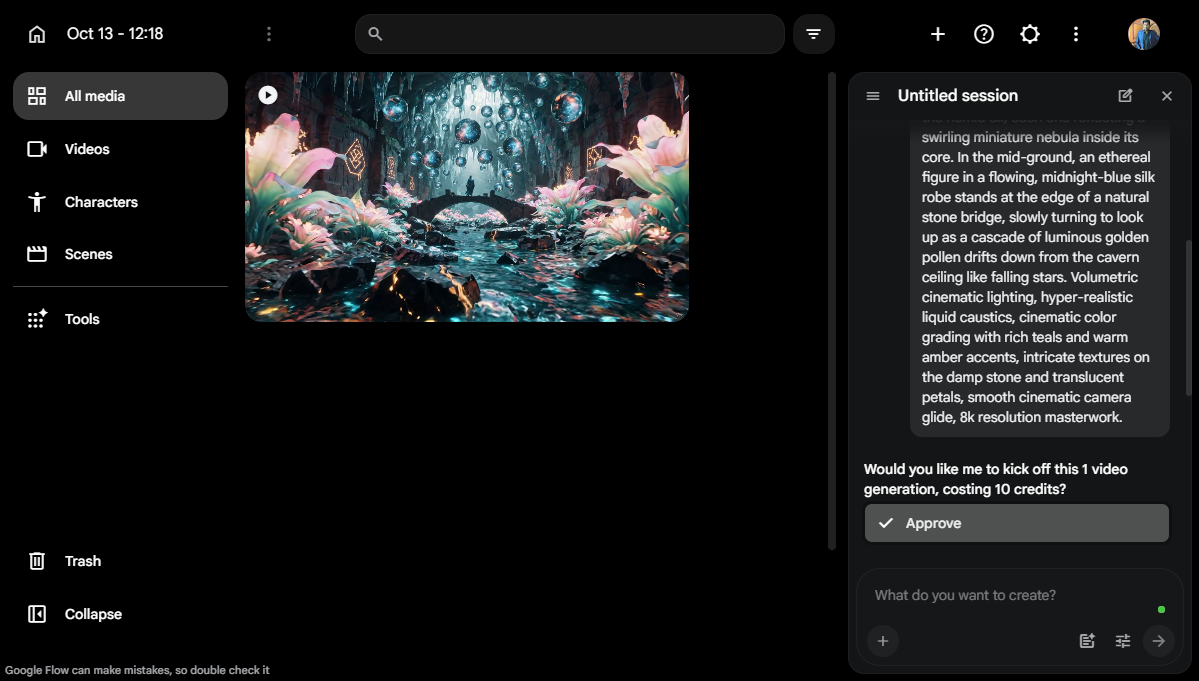
Now, it’s time to talk to the engine. Step 2: Writing the Multi-Layered Prompt.
Step 3: Configuring the Render.
Step 4: Pushing the Sliders.
Once you have your first clip, Step 5: Bridging the Narrative.
Step 6: Enhancing the Fidelity.
Step 7: The Master Export.
Transparency is set as a standard in 2026. And every business has no other option but to comply with this requirement. And to take this aid into consideration, Google Flow automatically embeds SynthID. As already discussed earlier, this acts as a watermark to make your work tamper-free and help in editing and compression.
Why it matters:
All videos are compliant with Synthetically Generated Information (SGI) regulations. This metadata proves the origin of the content, making it safe for commercial broadcast, enterprise use, and high-stakes social media campaigns. You can create without the fear of "AI-Labeling" penalties or copyright ambiguity.
How does Flow stack up against the heavy hitters in 2026?
|
Feature |
Google Flow (Veo 3.1) |
OpenAI Sora 2.0 |
Runway Gen-4 |
Luma Dream Machine |
|
Physics Grounding |
World-Class (Gemini Logic) |
High |
Medium |
High |
|
Asset Consistency |
Best (Native Ingredients) |
High (Seed-based) |
High (Director Mode) |
Manual |
|
Audio Fidelity |
Synced / Native Foley |
External / Add-on |
Integrated |
Manual |
|
Ecosystem Sync |
Infinite (Drive/Vertex AI) |
Microsoft/Azure Only |
None |
None |
|
Editing Suite |
Native Scene Builder |
Basic |
Advanced |
Limited |
Machines don't talk the same language as humans. Though we use English as the common language, the differences are very similar to how different US English, British English, and Australian English are. To help yourself stand out, you must learn how to speak to machines.
If you are updating your knowledge on text-based LLMs like OpenAI's ecosystem, understanding these conversational adjustments is highly important. You can learn its core mechanics in our comprehensive guide on What is ChatGPT. To get the best out of video generation specifically, use these "Pro-Level" techniques to handle your work more smoothly:
The following are some "Pro-Level" techniques to help you handle your work more smoothly and with more productivity.
It’s the "Pencil" of the ecosystem. It generates the high-res images used for Frames to Video and Ingredients. Nano Banana Pro is the specialized version that handles intricate textures and branding.
For Google Workspace Business and Enterprise users, your inputs are not used to train the public models. All project data stays within your organizational tenant.
Google implements strict safety filters. Speech is muted on generations depicting minors or if the prompt triggers "Public Figure" protections. If audio fails, credits are usually refunded to your project balance.
Yes. Ultra subscribers can export "Spatial Metadata" alongside their 4K files, making them compatible with spatial computing devices like the Apple Vision Pro.
Thu, 27 August 2026
Fri, 26 June 2026
Fri, 24 April 2026

Fri, 09 October 2026


© 2026 JarvisLearn Inc. - All Rights Reserved.